Wallets and tools · Explainer
How to Choose and Use an Onchain Wallet Safely
An onchain wallet lets you control crypto through keys rather than leaving it with an exchange. Learn how to choose one, set it up safely, check network costs and avoid common transaction mistakes.
By the SkyBitcoins editorial team · Updated
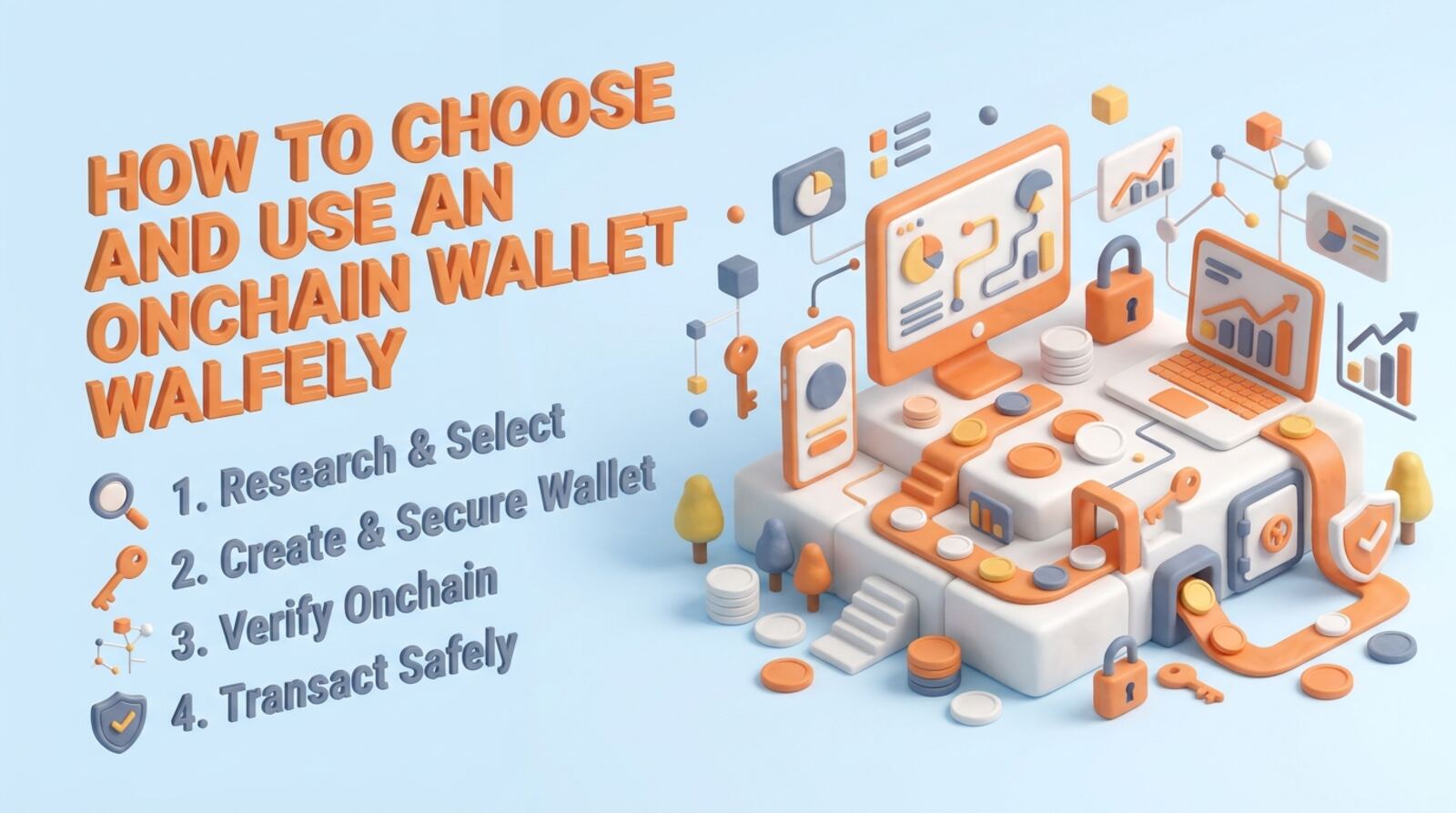
What does an onchain wallet do, and who controls the keys?
An onchain wallet is an app or device that lets you manage keys and authorize transactions recorded on a blockchain. In a non-custodial wallet, you control the keys; a crypto exchange or other custodian does not hold them for you. The wallet does not literally contain your coins: the blockchain records balances and activity, while the wallet provides a way to access and use them.
That control comes with responsibility. If you lose your recovery phrase or expose it to someone else, there may be no company that can restore or protect your funds. Transactions are generally difficult or impossible to reverse once confirmed.
Before choosing a wallet, decide what you need it for:
- Holding and sending: look for straightforward receiving, sending and recovery options.
- Apps and tokens: check that it supports the networks and assets you plan to use.
- Frequent use or larger balances: consider whether a hardware wallet or a separate spending wallet fits your needs.
A wallet can make access easier, but it cannot remove blockchain, app or user-error risks.
How do you choose a wallet for your network and device?
Choose a wallet based on the network you need, the device you use and how much responsibility you want to take on. Wallets may support one network or several, but a multichain label does not mean every token or app is supported. Confirm the exact network and asset compatibility before you deposit anything.
A practical comparison checklist:
- Custody: Does the wallet give you a recovery phrase or otherwise explain who controls the keys? A custodial account and a self-custody wallet are different products.
- Networks: Does it support the chain used by your asset and the apps you expect to use?
- Recovery: Are setup and recovery instructions clear? Avoid wallets that ask you to share a recovery phrase with support.
- Security options: Check for device passcodes, biometrics, hardware-wallet support or transaction previews where applicable.
- Costs: Find out whether swaps or other in-app services add charges on top of network fees.
Use the wallet’s official app store listing or official distribution channel, and verify the publisher carefully. For example, Phantom is associated with Solana and other supported networks, while HashPack focuses on Hedera and Temple Wallet supports Tezos and EVM networks. Check current support in the wallet before sending funds.
How do you create a wallet and back it up safely?
Set up your wallet in a private place where no one can see or photograph your recovery phrase. Download the app from a verified official source, then follow its setup flow. Some wallets create a phrase; others use a different recovery method. Read the wallet’s instructions rather than assuming every wallet works the same way.
If the wallet gives you a recovery phrase:
- Write it down in the correct order and check each word. Keep the backup offline in a secure place.
- Never enter it into a website, chat, form or message because someone claims they need it to fix a problem.
- Do not store an unprotected photo or cloud copy. Anyone who gets the phrase may be able to control the wallet.
- If the wallet asks you to verify the backup, do so privately and carefully.
Set a strong device passcode and enable available security features. These protect access to the device, but they do not replace the recovery phrase. For larger balances, consider a hardware wallet and learn its recovery process before transferring funds. A hardware device can reduce exposure of keys to an internet-connected device, but you still need to protect its recovery backup.
How do you receive crypto without choosing the wrong network?
Before transferring funds, match the receiving address, asset and network on both sides. A token with the same name can exist on multiple chains, and a wallet address that looks familiar does not guarantee that the chosen network is correct. If the sending service offers a network selector, its selection must match what the receiving wallet supports.
Use this cautious first-transfer process:
- In the receiving wallet, choose the exact asset and network, then copy the address using the wallet’s copy control.
- On the sending side, select that same network. Compare the first and last characters of the address with the wallet display.
- Check the fee and any minimum withdrawal amount before confirming.
- If practical, send a small test amount first. A test still costs fees and does not guarantee that later transfers will be safe.
- Wait for confirmation and check that the funds appear in the correct network view before sending more.
Never rely only on a search result, unsolicited message or address sent by someone else. If you are unsure about network support, stop and confirm it through the wallet or receiving service’s official help materials. Sending to the wrong network or address can make funds unrecoverable.
What will an onchain transaction cost you?
Most onchain transactions have a network fee, often called gas, which pays for processing. The amount can change with network demand and transaction complexity. A simple transfer and a contract interaction may cost different amounts; the wallet should show an estimate before you sign, though the final charge can differ. Some networks also require you to hold their native token to pay fees, even when you are transferring a different token.
Other costs may apply when you use a wallet’s built-in features. A swap can include a service fee, a price spread and the cost of executing onchain. A bridge may charge service and network fees, and the destination network may require its own fee token. Review the quote and the destination details before approving.
Before confirming, check:
- the fee token and the amount of fee shown;
- the asset, amount, destination and network;
- any separate wallet or app charge;
- whether the transaction is a transfer, swap, bridge or contract approval.
If a fee looks unexpectedly high, wait or compare options rather than rushing. A wallet cannot promise a fixed fee when the network is busy. A failed transaction may still consume some network fee, depending on the chain and transaction.
What should you check before signing an app transaction?
A transaction is not the same as a simple transfer when you connect to a decentralized app. The app may ask you to sign a message, approve a token or confirm a contract call. Read the wallet’s transaction preview and check what asset, amount, contract or permission is involved. If the preview is unclear or differs from what you intended, reject it and investigate.
Token approvals can let a contract spend tokens from your wallet, sometimes up to a large or unlimited amount. Approve only what you understand and need. Where the wallet or app supports it, choose a limited amount and review or revoke old permissions using a trustworthy tool. Revoking a permission may itself require a network transaction and fee.
Use these safeguards when connecting an app:
- Open the app through a source you independently trust, not an unsolicited link.
- Check the domain spelling and avoid signing requests you did not initiate.
- Keep a separate wallet with only limited funds for unfamiliar apps.
- Disconnecting a wallet from a site does not necessarily cancel token approvals; check permissions separately.
A wallet warning is a reason to pause, not an obstacle to click through. No wallet can guarantee that a connected app or smart contract is safe.
Which wallet mistakes can lead to permanent losses?
Self-custody reduces reliance on an exchange to access your crypto, but it does not make funds automatically safe. Phishing, malware, fake support accounts, malicious contracts, compromised devices and mistaken transfers can all lead to losses. A recovery phrase is especially sensitive: anyone who obtains it can usually take control, so legitimate support should not need you to disclose it.
Avoid these common mistakes:
- Sharing the phrase: never give it to support, a friend, a website or a wallet-verification service.
- Sending too quickly: check the address, asset and network before every transfer.
- Trusting a token label: verify the contract and network for unfamiliar tokens; names and logos can be copied.
- Signing blindly: reject transactions you cannot explain or that request unexpected permissions.
- Keeping everything in one wallet: separate long-term holdings from funds used to test apps, if that suits your needs.
- Assuming a backup is enough: protect the phrase from theft, damage and discovery, and make sure you can access it when needed.
If you suspect a device or phrase is compromised, use a clean, trusted device to move remaining assets to a newly created wallet, if you can do so safely. Do not reuse the exposed phrase. Seek help through independently verified official channels, and never pay someone who promises guaranteed recovery.
What should you check before keeping funds in a wallet?
You are ready to use a wallet when you can explain how you will recover it, which network you are using and what a transaction will do. Start with a small amount and a basic receive or send operation before connecting to unfamiliar apps. Keep your recovery backup separate from the device, and check it periodically without exposing it to the internet.
Use this checklist before putting meaningful funds in a wallet:
- I downloaded the genuine wallet and confirmed its network support.
- I understand who controls the keys and how recovery works.
- My recovery backup is private, offline and stored where I can retrieve it.
- I know which native token pays fees on the network I plan to use.
- I can verify addresses and distinguish the networks I use.
- I will review every transaction and avoid signing unexplained requests.
If you cannot confidently complete these checks, pause before depositing. Keep only an amount you can manage safely in a wallet you are still learning to use. Onchain access is useful when you want direct control and access to blockchain apps, but that control means you—not an intermediary—must handle key security and transaction checks.
Frequently asked questions
Can I recover an onchain wallet if I lose my recovery phrase?
Usually, no. A non-custodial wallet cannot reset your recovery phrase because it does not hold your keys. If you lose the phrase and lose access to the device, you may permanently lose access to the funds.
Does an onchain wallet store my crypto?
No. The wallet app is a tool for managing keys and signing transactions; the blockchain records the assets and activity. You may be able to restore access using your recovery phrase in a compatible wallet, but that does not move the assets offchain.
Are onchain wallets free to use?
Some wallets have no purchase price, but using the blockchain usually involves network fees. You may also pay for swaps, bridging or other app services, and fees vary by network and transaction.
Can people see what I do with an onchain wallet?
A wallet address is generally visible on its blockchain, along with its transactions and balances. An address does not automatically show your legal name, but links to your identity can be inferred if you reuse addresses or connect them to identifiable services.
Can I send any crypto to an onchain wallet?
Only if the wallet supports the token’s network and format. Check the network shown in the wallet and the receiving service before sending; sending an asset through an unsupported network can make it difficult or impossible to recover.
Mentioned in this guide
dApps in this guide
Phantom combines self-custody with crypto trading tools, but check transaction costs and security details before using it.
HashPack suits Hedera users seeking a non-custodial wallet, but check transaction costs and feature terms before using it.
Temple Wallet offers self-custody for Tezos, Etherlink and EVM chains, but check network support, swap costs and Earn terms before depositing.
Ethereum is an open blockchain for ETH and apps; check variable gas costs and wallet risks before using it.
Solana is a Layer 1 blockchain for apps and payments; you’ll need a compatible wallet and SOL for fees.
Keep reading
Related guides
Wallets and tools · Explainer
What Is a Cryptocurrency Wallet? A Practical Guide
A cryptocurrency wallet gives you a way to view crypto addresses and authorize transactions. Learn how keys work, which wallet type fits your needs, and what to check before sending funds.
Wallets and tools · Explainer
What Is a Web3 Wallet? A Practical Guide for 2026
A Web3 wallet lets you manage blockchain accounts and connect to decentralized apps. Learn what it actually holds, how to choose one, and how to use it more safely.
Wallets and tools · How-to
How to Check a Crypto Wallet’s Activity and Safety
Use the right blockchain explorer to review a wallet’s transactions, then check token approvals and account security. An address check can reveal activity and warning signs, but it cannot prove that a wallet or app is safe.
Wallets and tools · Best list
Best Crypto Wallets for Dapps in 2026: Which One Fits?
The right wallet depends on which blockchain your dapps use and how much convenience you want versus keeping keys offline. Compare practical choices for Ethereum and other EVM chains, Solana, Hedera and Tezos, then connect with a safer setup.
Wallets and tools · Explainer
How to Choose Blockchain Alerts and Notification Tools
Blockchain alerts can track prices, wallet activity, contract events or network conditions—and each needs a different tool. Use this guide to choose what to monitor, set alerts safely and understand the costs and limits.
Wallets and tools · Explainer
How to Choose a Secure Cryptocurrency Wallet
A secure wallet is one you can recover, use safely and match to your assets. Compare who controls the keys, how you’ll protect access and what happens if a device is lost before moving funds.
Wallets and tools · Best list
How to Choose the Best Cold Storage Wallets in 2026
The right cold wallet depends on the coins you hold, how you want to approve transactions and how you plan to back up recovery access. Compare these options, then set up and test your choice before moving a large balance.
Wallets and tools · Best list
How to Choose a Secure Crypto Wallet in 2026
Choose a wallet by matching its custody model, security controls and supported networks to how you’ll use it. Compare a few options, verify key details and set it up safely before transferring meaningful funds.