Wallets and tools · Explainer
Crypto Cold Storage: How to Store Keys Safely
Cold storage keeps the keys controlling your crypto away from everyday internet-connected devices. Learn how it works, how to set it up safely, what it costs and how to avoid losing access to your funds.
By the SkyBitcoins editorial team · Updated
What does crypto cold storage actually protect?
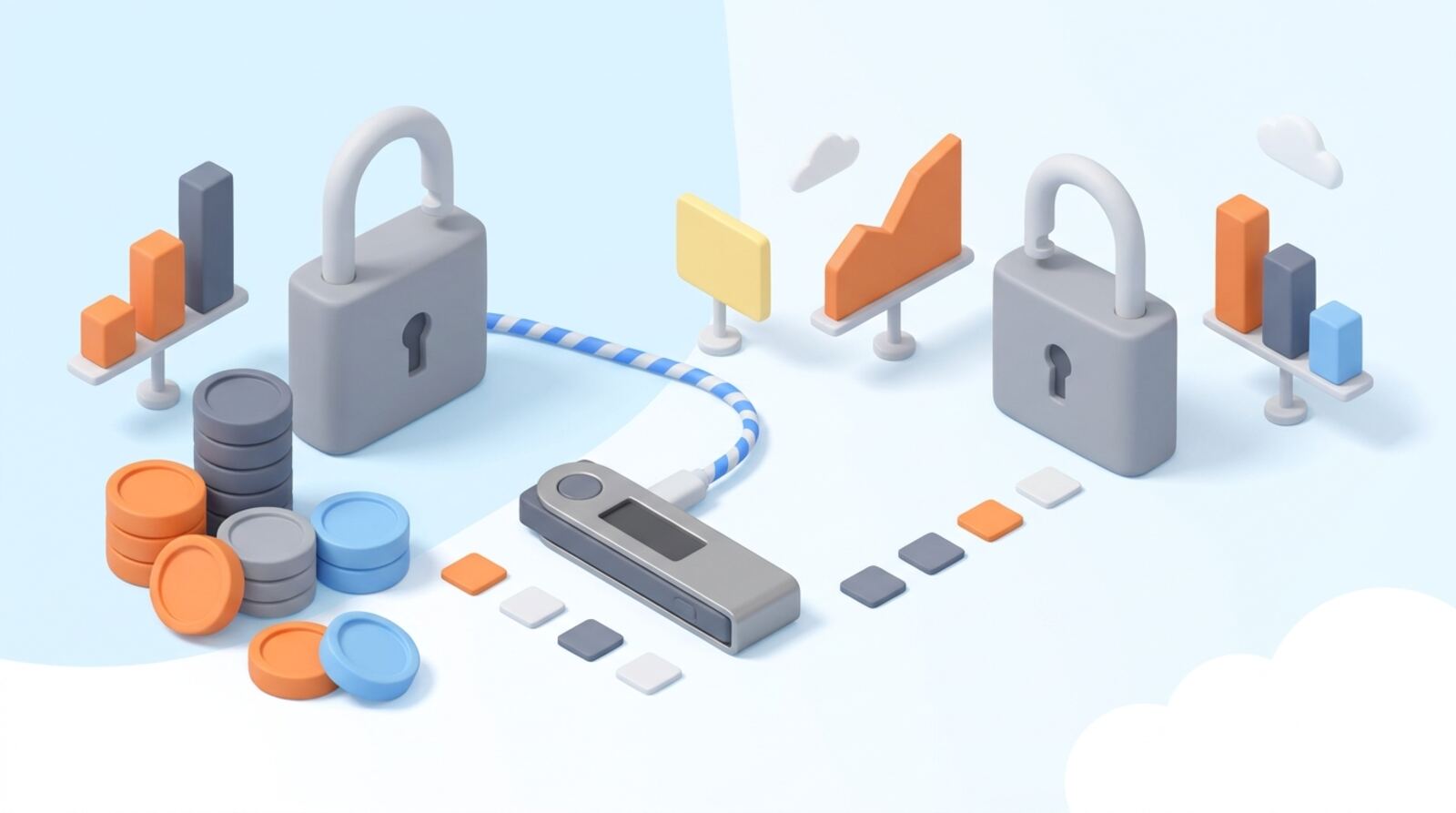
Crypto cold storage means keeping the private keys that control your funds offline, or separated from ordinary internet-connected devices. It can reduce the risk that malware or a compromised computer will steal your keys. It does not put coins inside a device: your crypto remains recorded on its blockchain, while the keys let you authorize transactions.
A common cold-storage setup uses a hardware wallet. The device keeps or generates the keys and signs transactions without revealing them to your computer or phone. Some setups use an offline computer or other signing method, but they can take more technical care to operate safely.
Cold storage is most useful when you hold crypto you do not need to move often. It adds responsibility: you must protect the device, keep a reliable recovery backup and know how to restore access. It is not a guarantee against theft, mistakes, loss or fraud.
How does a cold wallet sign transactions?
A wallet uses a private key to authorize actions for a blockchain address. Many wallets also provide a recovery phrase—often called a seed phrase—from which the keys can be restored. Anyone who gets that phrase may be able to control the associated funds, so it must be treated like the most important part of your setup.
With a hardware wallet, transaction details are prepared on a connected computer or phone, then sent to the device for approval and signing. The signed transaction goes back to the connected device and is broadcast to the network. The private key should remain inside the device, but you still need to check what you are approving on its screen.
A cold wallet does not make blockchain transactions private or reversible. Addresses and transactions may be publicly visible, and a confirmed transfer usually cannot simply be undone. If you sign a transaction to the wrong address or approve a malicious contract action, offline keys alone will not fix it.
Which cold-storage method should you choose?
There are several ways to keep keys offline, but each has different security and usability trade-offs.
| Option | Useful for | Main concern |
|---|---|---|
| Hardware wallet | Most people holding crypto long term | Device, setup and recovery-phrase security |
| Air-gapped signer | People comfortable managing a more technical process | Setup and transaction-verification mistakes |
| Paper or engraved backup | Keeping a recovery phrase offline | Theft, damage, exposure or loss of the only copy |
| Multisignature setup | Splitting control across multiple keys or people | More complex recovery and transaction steps |
A written or engraved seed phrase is a backup, not a complete wallet by itself. A paper wallet—where keys are printed or written down—can be difficult to create and use safely, and it may expose keys during generation or spending. Avoid treating an ordinary printout as inherently secure.
For many users, a reputable hardware wallet is a more manageable starting point than assembling a fully air-gapped or multisignature system. Complexity only helps when you can operate and recover the setup correctly.
How do you choose a cold wallet that fits?
Choose a setup based on what you hold, how often you transact and whether you can follow its recovery process. Before buying or setting up a device, check:
- Asset and network support: Confirm the wallet supports the exact coins, tokens and networks you use. Similar token names can exist on different networks.
- Recovery options: Find out what recovery phrase format or other recovery method it uses, and whether you could restore access if the device is lost or discontinued.
- Transaction checks: Make sure you can verify addresses and transaction details on the signing device, not only on your computer screen.
- Software and firmware: Understand how the manufacturer distributes updates and how the wallet communicates with companion software.
- Your own ability to manage it: If you are unlikely to keep a backup safe or follow the signing steps, a more complicated setup may increase your risk.
Buy through the manufacturer or an authorized seller. Initialize the device yourself and reject one that arrives with a recovery phrase already filled in. Do not choose a wallet solely because it supports many assets or advertises strong security; check whether its features match your needs.
How do you set up cold storage safely?
Set up your wallet in a private place, without a camera pointed at the recovery phrase. Follow the device’s official setup process, and use only its verified companion software. Never let a seller, stranger or support agent choose your PIN or handle your recovery phrase.
- Initialize the device yourself. Set its PIN or other access control as instructed. If it displays a prewritten recovery phrase, stop and contact the manufacturer through a trusted channel.
- Write down the recovery phrase accurately. Keep it offline. Do not photograph it, save it in notes, email it to yourself or put it in cloud storage.
- Check the backup. Use the device’s built-in verification process, if available. Confirm that you can read each word and keep the backup protected from loss, fire, water and unauthorized access.
- Secure the device and backup separately. Limit who can access them, and make a plan for a trusted person to handle an emergency without casually exposing the phrase.
- Understand any optional passphrase. It may create a different wallet, and forgetting it can prevent recovery even if you still have the seed phrase.
Do not enter the phrase into a website or app to “verify” it. A genuine recovery process should be initiated only when you are restoring a wallet, using a trusted method.
How do you receive and send crypto from cold storage?
You do not need to connect a hardware wallet to receive funds. Use the wallet software to generate a receiving address, then check the address and network on the device screen when that feature is available. Share only the address, and confirm that the sending platform supports the same network and asset.
For your first deposit, consider sending a small test amount. A test costs a network fee and does not remove all risk, but it can help catch an address or network mistake before you move a larger amount. Check the address carefully; malware can replace copied addresses, and a transfer to the wrong destination may be unrecoverable.
To send crypto, prepare the transaction in compatible software, review its destination, amount, network and any contract permissions, then approve it on the device. Do not approve details you cannot understand or verify. After signing, the connected device broadcasts the transaction; the keys should not need to leave the signer.
Keep some funds accessible for network fees if you expect to move assets later. Cold storage can make frequent trading or app use less convenient, and interacting with decentralized applications may require extra approvals and careful contract checks.
What does cold storage cost, and what risks remain?
There is no blockchain charge simply for keeping keys offline. Your costs may include buying a hardware wallet, obtaining a backup material such as an engraved plate, and paying network fees when you send or use crypto. Device prices and transaction fees vary, so check current terms before purchasing or transferring.
The main trade-off is control versus convenience. Cold storage reduces reliance on an online service or everyday device, but you are responsible for safeguarding recovery information and completing transactions correctly. If the device fails, you may need a compatible replacement to restore access. If the recovery phrase is lost or exposed, the consequences can be permanent.
Cold storage also does not remove risks from the blockchain or the assets themselves. A token can lose value, a smart contract can have vulnerabilities, and a transaction can be irreversible. A wallet manufacturer cannot reverse a blockchain transfer or restore funds if someone else has obtained the keys.
Keep only the amount you are prepared to manage this way in a setup you understand. Think through how you would recover access after losing the device, and how a trusted person could follow your plan if you were unavailable.
Which cold-storage mistakes should you avoid?
Many cold-storage losses come from avoidable setup and transaction errors. Before each important action, slow down and verify what you are doing.
Mistakes to avoid:
- Storing the recovery phrase digitally. Screenshots, cloud drives, email and password managers connected to the internet can become targets. Keep the phrase offline and restrict physical access.
- Sharing the phrase or entering it on a website. Legitimate support should not need it. Treat any request for it as a theft attempt.
- Trusting a prefilled device. Initialize the wallet yourself; a phrase supplied with the device may already be known to someone else.
- Approving a transaction based only on your computer screen. Verify the destination and action on the signing device where possible.
- Sending on the wrong network or to the wrong address. Confirm both before signing, and use a small test transfer when the amount warrants it.
- Keeping the only backup in one vulnerable place. Plan for physical damage and loss without making extra copies that are easy to find or steal.
- Ignoring passphrase or recovery details. Record a secure recovery plan for yourself; a forgotten passphrase can leave a valid seed phrase unable to restore the wallet you intended.
Review your plan periodically, especially after changing devices, moving house or adding new assets.
Frequently asked questions
Does a hardware wallet physically store my cryptocurrency?
No. Your crypto remains recorded on its blockchain; a wallet stores the keys used to control it. A hardware wallet protects those keys and can sign transactions without handing them to an ordinary internet-connected device.
Is cold storage completely safe?
A hardware wallet can reduce exposure to malware on your computer or phone, but it cannot make every transaction safe. You can still approve a fraudulent transaction, lose your recovery phrase or be tricked into revealing it.
Can I recover my crypto if my hardware wallet breaks?
You generally need a compatible wallet or recovery method that can use your seed phrase and any extra passphrase. Check recovery compatibility before relying on another device or wallet, and never enter your phrase into a website or support chat to test it.
Can I receive crypto without connecting my cold wallet?
You can receive crypto while keeping your signing keys offline. To send funds, you create a transaction on a connected device and approve or sign it with your cold-storage setup; the exact steps vary by wallet and network.
What does cold storage cost?
There is no general fee for keeping keys offline. You may pay for a hardware device, and blockchain network fees apply when you make transactions; device prices and network fees vary.
Mentioned in this guide
dApps in this guide
Crypto.com offers broad crypto access and EUR deposits, but check spreads, fees and withdrawal terms before funding an account.
Keep reading
Related guides
Wallets and tools · Best list
Best Cold Storage Crypto Wallets: How to Choose in 2026
For long-term holdings, choose a hardware wallet that supports your coins and whose recovery process you can follow confidently. Ledger, Trezor, Tangem, NGRAVE and Cypherock are options to compare; check the exact model, current price and supported assets before buying.
Wallets and tools · Explainer
Ballet Crypto Wallet Review: Is a Cold-Storage Card Right for You?
Ballet makes physical cold-storage wallet cards, including Real Series cards for assets such as Bitcoin, Ethereum and Litecoin. This guide explains how the card-and-app approach works, what to check before buying, and how to move funds onto it carefully.
Wallets and tools · Best list
Best Cold Wallets for Crypto in 2026: How to Choose
The right cold wallet depends on the coins and networks you use, how you want to approve transactions and how you’ll protect your recovery backup. Compare Ledger, Trezor, Arculus, Tangem and air-gapped options, then set up your device safely.
Wallets and tools · How-to
How to Create a Crypto Wallet Safely in 2026
Creating a crypto wallet takes only a few minutes, but choosing the right kind and protecting its recovery phrase matter more than the setup itself. Follow these steps to create a wallet, check its network and receive crypto safely.
Wallets and tools · Explainer
What Is a Crypto Seed Phrase? How to Protect It
A crypto seed phrase is the master backup for many self-custody wallets. Learn what it controls, how to store it safely, and what to do if it is lost or exposed.
Wallets and tools · How-to
How to Create a Tezos Wallet and Receive XTZ
You can create a Tezos wallet without paying a setup fee: choose a self-custody wallet, back up its recovery phrase offline, then use its Tezos address to receive XTZ. Follow these steps to protect your wallet and avoid sending funds on the wrong network.
Wallets and tools · Comparison
Crypto Wallet vs Exchange: Which Should You Use?
An exchange account is usually the simplest place to buy and trade crypto; a self-custody wallet gives you control of the keys. Compare the trade-offs, costs and risks before deciding where to keep your funds.
Wallets and tools · How-to
How to Create a Cardano Wallet Safely in 2026
Create a Cardano wallet by choosing a wallet that supports ADA, installing it from its verified source, and safely backing up its recovery phrase. Then check the network and address before sending a small first transaction.